I have such a special giveaway FOR EVERYONE this week!!
A
FREE
FULL SIZE ($39.97 value)
version 4 of MyMemories
digital scrapbooking software
(download only-no cd).
YES-thats right!! A FREE FULL VERSION!!
I am only able to offer you this because I’m an affiliate with MyMemories, meaning I get commission if someone purchases the software using my special code.
In this case, I don’t get anything for offering this to you-just the satisfaction of being able to offer you this wonderful program for FREE only until MONDAY October 21st!
Happy Halloween-treats no tricks!! 🙂
I have personally used this software for at least 3 years!! I have used it to make photo books, scrapbooking pages, flyers, labels for toy bins, etc. It’s so fun to use! and my 11 year old loves to use it too because its pretty simple!!
You will just to make sure you have room on your computer or laptop to get this download and once its downloaded, you can begin to use it!! Again, this is not a trial offer or that you can only use the program a couple times. This is the real deal-you download it and use it every day for the rest of your life like you paid the full price of $39.97!!
Your code to use is FreeTreatAL69 . Please copy and paste the code so that you don’t have any problems checking out. My code will expire on October 21st.
Please share this offer with your friends by sharing my blog address (not the actual discount code) so I can track how many people are visiting my blog.
The code is for the download option only, if you choose the physical discs you will need to pay for shipping.
Go to this link below to purchase the software for free and to check out all the features!!
Oh-I also want to mention that the designers for MMS are amazing and are always offering kits for FREE!! and super cheap! You can spend as little or as much as you want with digital scrapbooking!!
MyMemories Suite v4 Scrapbooking Software and So Much More…

create – print – share
MyMemories Suite v4 is a fun and easy way to create scrapbooks, photobooks and more. This award winning software will help you create beautiful albums, projects, and custom gifts in a matter of minutes.
Create
- Photobooks
MyMemories Suite will help you create your beautiful pages from scratch or you can build an entire album using one of the many professionally-designed templates provided within the software. A large collection of papers and embellishments are also included to help you make each page uniquely your own. Then use the share option within the software to turn your digital scrapbook into a professionally printed and bound book.
- Custom Gifts
MyMemories Suite will help you create your own project and then export them to create custom gifts. You can create iPhone skins, laptop skins, jewelry, magnets and more. Check out the entire selection here
- Printables
MyMemories Suite will help you create customized printable projects. You can create all kinds of printable boxes, decorations and more. Check out the entire selection of customizable project templates here
Print directly from the software to your home printer or export and take your project to your favorite printer. MyMemories Suite lets you export your projects as JPG, PNG, PDF or SVG.
Share
Create an interactive project with music, narration, video and even the Internet with simple options. Then share your completed project on a DVD or as a slideshow.
Why MyMemories Suite?
- Multiple Sharing Options
- Create a Slide Show or DVD or Export Your Project as a JPG, SVG, PNG or PDF
- Create Slide Shows
- Take your finished product and create a slide show that can be shared on your iPod, social networks, blog and more
- Powerful Design Tools
- Photo Editing, Word Art, Paint, Text, Imprints, Shapes and Export
- User-Friendly Interface
- Easily access Design Tools in Tabs, Drag-and-Drop Embellishments and Photos, Auto Tab Selection
- Edit Photos
- Recolor, Resize, Reshape, Rip, Reduce Red-Eye, Apply Custom Filters or Crop your photos
- Create One Page at a time or Design an Entire Album
- Create one or more pages all in the same project, allowing for easy coordination
- Affordable
- Great Value at a Great Price
- Create from Scratch or Use a Pre-Made Designer Template
- Start a Project on a blank page or Choose one of the Pre-Made Template available in the Software or in our Design Store
- Import Graphics from Your Computer
- Use any JPG, SVG or PNG Image on Your Computer using the Browse Other Button in the Embellishments Tab
- Add Interactive Video, Music, Narration and Web Links
- Create your Own Customized Interactive Project that can be shared as a Slide Show or a DVD
- More than Just a Scrapbook Software
- Create Crafts, Printables, Blog Headers, Buttons, Facebook Timeline Covers and Custom Gifts
Feature List
MyMemories Suite v4 scrapbooking software provides the design tools that will help you to build entire albums effortlessly using one of the many installed templates, or starting your own pages from scratch. This user-friendly software is great for beginners and design pros alike.
Design Features
- Drag & drop your own pictures, plus page embellishments, backgrounds, imprints, shapes, and page layouts from one convenient sidebar (Resource Gallery).

- Search through library of graphics quickly with enhanced search function
- Global search of all backgrounds, embellishments, shapes and imprints with easy click to insert
- Pick your canvas size for your scrapbook or craft project
- Align or space elements evenly on a page
- Have precise control of your page design with Zoom
- Add background paper as photo object (from backgrounds dialog)
- Flip and mirror background papers
- Paste background papers into shapes
- Edit elements individually or in groups
- Flip and mirror groups (from right-click groups menu)
- Edit elements in pixels or inches
- Change colors of imprint graphics and shapes
- Edit elements directly on the page with right-click functions

- Rotate elements on a page
- Layer elements on a page
- Zoom-in and out on a page with tools or key commands
- Create your own favorites library of colors and page elements
- Create your own custom category library of embellishments, shapes and imprints
- Preview drop shadows and mat effects before committing

- Fill shapes with textures or images
- Adjust colors using scrapbook palette, colors imported from images (color picker) and other color libraries
- Build complete calendars automatically with Calendar Tool
- Apply gradients with color palette

Photo Features
- Add mats to your pictures one picture or all your pictures at once
- Apply drop shadows to one picture or all your pictures at once
- Resize, crop, remove redeye, and apply various effects to pictures without ever leaving the page
- Rotate photo within a photo box
- Place photo into a shape
- Place a random ripped edge on one or more edges of a photo
- Group photoboxes together and fill with one single photo to look like tiling
Text & Journaling Features
- Type journaling directly onto your page
- Position journaling around circular and angled shapes
- Find and replace text
- Memory of latest fonts used
- Edit options for uppercase, lowercase, and sentence case
- Mirror and flip text on the page
- Vertical and horizontal text alignment
- Adjust spacing between letters
- Word Art Designer feature provides 1-click options to bevel, emboss, add gradients, drop shadows, warp or shape, or paste images into text

- Spell Check
General Features
- Sharing wizards help you output one page (or pages) in multiple print and multimedia formats
- Export pages as JPG, PNG, PDF or SVG files
- Set defaults for drop shadows and text for your entire album
- Add different shaped album pages into current album (i.e. Import landscape pages into a square album)
- Identify any page elements that are off the canvas
- Holding the shift key while dragging an object constrains it to its horizontal or vertical axis
- Locate Albums (File–>Locate Albums) will ask for a directory and then search for albums
- Warn if there are missing fonts when doing a hi-res output
- Export pages to PNG file formats and different quality JPG formats
- Duplicate or Mirror Pages
- Delete a single page or multiple pages at one time
- Layer multiple background papers—perfect for mats, paper strips, frames, and more
- Combine pages from multiple albums—even pages with different shapes
- View your page layouts one at a time, or together as double-page spreads
- Print your pages at home or use built in wizard to make your album into a professionally printed book
- Simplified 1-screen export processes
- Add multiple pictures at once to your layout using the FastFill function
- Burn your creations onto a CD or DVD with better optical device support
- Search functions for all page elements and Resource Gallery
Why Digital Scrapbooking
Like many of you, the creators of MyMemories Suite appreciate and understand traditional scrapbooking. The digital workspace, tools, and vocabulary built into the software reflect the original scrapbook medium. MyMemories Suite has taken the old school tradition that we are familiar with and empowered it with a universe of digital capabilities. This new-fangled digital creation may not seem like your mama’s scrapbook at first, but it actually can be a beautiful, physical heirloom just like hers-and it can also be much, much more.

Time for Scrapbooking
Life is busy and we often find ourselves running out of time. We all want to put those memories down into a scrapbook, but just never find the right moment to even start a page-let alone, finish something so important. Getting started with MyMemories Suite is as fast as pushing the power button on your computer. You can literally build pages (yes, that’s plural) in seconds. Want to finally get your pictures from last Halloween from that old folder on your computer into your new scrapbook album? The FastFill feature in the software allows you to select 1, 2, or a handful of pictures-or an entire folder of thousands of pictures-and automatically drop them all into your new pages with one click of the mouse. And do it all in the time it takes to ask:
“Has anyone seen the glue stick?”
“Has anyone seen the glue stick?”
Speed
If you just read about the FastFill feature in the preceding paragraph, then you probably just realized that digital empowers you to not only do things that traditional scrapbooking could never do, but to do them really, really fast. In the time it takes you to attach a brad in yesterday’s scrapbook, you can build an entire digital page complete with multiple ribbons, brads, and mats. You can even crop the pictures and take out that awful redeye in seconds without ever having to find scissors. Beware, like anything else, speed can be really addicting and fun in scrapbooking, too. Say goodbye to the kiddy coaster.
No Mess
Is the fun part of the crop really the cleanup? Finding and setting out all the supplies to just start scrapbooking can drain some creative energy. Putting all the supplies away and cleaning up the mess when finished can be downright exhausting. With MyMemories Suite, the supplies you need, every tool you want to use, is right there at your fingertips. Setup and cleanup are literally as easy as pushing a button. Next time, think digi-crop.

Easy to Use
There is no training or experience necessary to use MyMemories Suite. If you can use your computer’s mouse and understand simple instructions like “add background” or “add embellishment,” then you are ready to hit the ground running. There is a user guide available in the software to provide some gentle hand holding if necessary. There is also customer support and email available if things get a little too hairy. And, in case you wondering, it works on both Windows PC computers and Macs.
Saves Money
In the off chance you haven’t noticed, scrapbooking can get a little pricey. How much did you spend on your latest purchase of a paper kit or embellishment set? With actual papers, you use it once and you’re done. When you use a digital background paper, you can use it over and over and over again. If you liked that antique brad you used on an earlier album, you can use it again on new pages-and as many times as you want. If you are a serious scrapbook designer, you might have spent more money on papers last month than you would spend to buy the MyMemories Suite software. Just buying the software as a vehicle to print out its included library of papers would be worth the investment.
One Scrapbook Shared Many Ways
There is great value to a one-of-a-kind scrapbook you create. The real sad thing is that all the effort and creativity you poured into it can only be shared one moment at a time. An album you create in MyMemories Suite can be shared over and over and in many different ways (see “Sharing Output” to see all the ways you can share your memories). Digital makes duplication easy, affordable, and fun. We make scrapbooks to share them don’t we? Why make a masterpiece once and share once? MyMemories Suite lets you share it again and again as many times as you want.
Multimedia
Sometimes a picture paints a thousand words and serves as the focal point of a great scrapbook page. Sometimes a picture is just a picture. MyMemories Suite helps you keep and share “all” the memories that are important to you. Why not keep the pictures and journaling of your 4-year-old’s princess birthday party together with the video you captured of her blowing out the candles on the birthday cake. With MyMemories Suite you place in the video to help you remember the sounds of her voice and if she got all the candles with the first blow. Think of it – all your pictures and videos stored beautifully together in one convenient place. Now how valuable is that scrapbook page? How valuable will it be digitally preserved 20-years from now?

It’s A Digital World
From the internet to your TV set, the world is quickly becoming a digital place. If you are like most people, you have probably already invested in a digital camera to easily download your pictures to a computer or the local photo print center. And if your camcorder is smaller than a suitcase, it’s probably digital too. All this digital technology makes life easier. Without the cost of film processing, you can take thousands of pictures on your digital camera for a fraction of the cost it took only a few years ago. Digital scrapbooking is not any different. The MyMemories Suite software is engineered to take advantage of all that digital technology. The software can add pictures and videos from your camera and camcorders, interact with the
online web store, and share your scrapbooks on Facebook
or on a DVD. Digital is quickly becoming the new tradition.
online web store, and share your scrapbooks on Facebook
or on a DVD. Digital is quickly becoming the new tradition.
Fun, Fun, Fun
MyMemories Suite makes scrapbooking easier by allowing you to get creative immediately without all the setup and cleanup. Not only are the barriers to getting started removed, but obstacles to creativity are as well. MyMemories Suite allows you to swap papers and embellishments with ease. Type in journaling in whichever fonts you have on your computer. Add and remove pages easily, change graphics, color schemes, and even the shape and orientation of your scrapbook with the click of a button. Creativity, sharing, and fun all have a front row seat with MyMemories Suite. Where are you sitting? Join the fun and go digital today by purchasing MyMemories Suite.


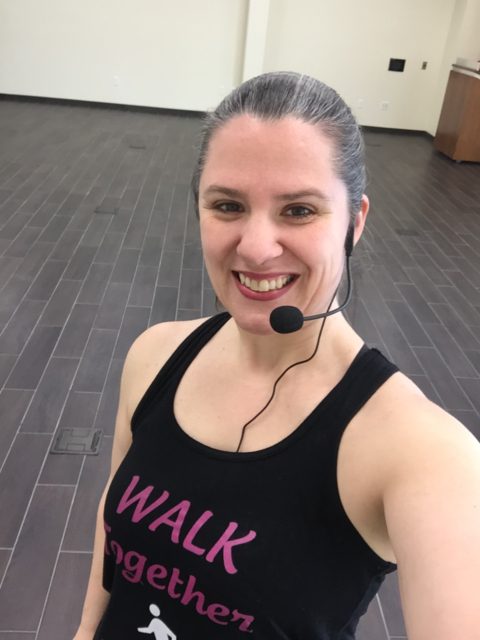 Fitness, Family & Book blogger. Certified Group Fitness Instructor, Active Aging and Silver Sneakers Coach. Walking Coach. Certified Nutrition Coach. Teaching fitness classes for all levels of fitness and ages since 2015. ✨Empower & Inspire✨